

Your website is down. Customers can’t find you. Leads are going nowhere. Here’s why it happens and what you can actually do about it.
There are few things more frustrating for a business owner than finding out their website is down. Maybe a customer called to tell you. Maybe you tried to check something yourself and nothing loaded. Maybe you got an email from someone saying your site looks broken.
Whatever tipped you off, the result is the same. While your site is down, your business effectively doesn’t exist online. People searching for you get an error. People who click your ads land on nothing. People trying to contact you hit a dead end.
The good news is that most website outages come down to a handful of common causes – and most of them are preventable. Here’s what usually goes wrong and what you can do about it.
What causes a website to go down?
Your hosting has gone down
Hosting is the service that keeps your website files stored and accessible online. When your hosting provider has an outage – whether it’s a server failure, a maintenance issue or a problem with their infrastructure – your website goes down with it.
This is one of the most common causes of website downtime, especially for businesses on cheap shared hosting plans. Shared hosting means your website sits on the same server as hundreds of other websites. When that server struggles, everyone on it is affected.
If your site goes down regularly or for long stretches, your hosting is the first thing worth looking at. Upgrading to a more reliable plan or moving to a better provider can make a big difference. A properly built and hosted website should have very little unplanned downtime.
Your domain has expired
Your domain is your web address – the thing people type in to find you. Domains need to be renewed every one to two years, and if that renewal gets missed, your site disappears almost instantly.
This happens more often than you’d think. The renewal notice goes to an old email address. Someone meant to sort it and forgot. The credit card on file expired. Whatever the reason, the result is the same: your website is unreachable and your email may stop working too.
The fix is simple: check when your domain expires and make sure the auto-renewal is set up with a current payment method. If you’re not sure who manages your domain or when it’s due, that’s worth finding out before it becomes a problem. Read our guide on how to choose and manage a domain name if you want a better understanding of how it all works.
Your SSL certificate has lapsed
SSL is the security certificate that puts the padlock icon in your browser bar and makes your web address start with https. Most modern browsers will block access to a site with an expired SSL certificate and show visitors a warning that the site is “not secure” or potentially dangerous.
For a business owner, this looks like your site going down, because most visitors will hit that warning and leave immediately rather than proceed. You may not even realise your SSL has lapsed until someone tells you.
SSL certificates need to be renewed regularly, usually every year. A good hosting setup or website management service will handle this automatically so it never becomes an issue.
A plugin or update broke something
If your website runs on WordPress or a similar platform, it relies on a combination of themes and plugins to function. When one of those gets updated or when multiple updates happen at the same time, they can conflict with each other and break parts of your site. In some cases this takes the whole site down.
This is a very common cause of sudden website problems for small business owners who manage their own sites. An update runs automatically overnight, something conflicts and by morning the site is showing a blank screen or an error message.
Having someone manage your website properly means updates are tested before they’re applied and there’s a backup ready to restore if something goes wrong. A well-maintained website shouldn’t break every time an update runs.
Your site was hacked or hit with malware
Websites get targeted by automated attacks constantly. If your site has a security vulnerability: an outdated plugin, a weak password, an unpatched theme, it can be exploited. Hackers might inject malicious code, redirect your visitors somewhere else or take your site offline entirely.
When Google detects that a website has been compromised, it can flag it in search results or remove it altogether. So beyond the immediate downtime, a hacked site can do lasting damage to your search visibility.
Good security practices: strong passwords, regular updates, a security plugin and a reliable host, reduce the risk significantly. If your site has already been compromised, it needs to be cleaned and secured properly before it goes back online.
You’ve hit your traffic limit
Some hosting plans put a cap on the amount of traffic your site can receive in a given month. If you run a promotion, get featured somewhere popular or have a sudden spike in visitors, you can hit that limit and your site gets taken offline until the next billing period.
For most small businesses this isn’t a regular issue, but it can catch people off guard. If you’re running Google Ads or social media campaigns that drive a lot of traffic to your site, it’s worth making sure your hosting can handle the volume. A Google Ads campaign driving people to a site that keeps going down is money wasted.
There’s a problem with your DNS settings
DNS is the system that connects your domain name to your actual website. Think of it like a phone book: when someone types your web address, DNS looks up where your website actually lives and sends them there.
If DNS settings get changed incorrectly, which can happen during a website migration, a hosting change or even an accidental edit, your domain stops pointing to the right place and your site becomes unreachable. This can look identical to a full outage even if your website files are completely fine.
DNS issues are one of the trickier problems to diagnose if you’re not technical, which is another reason having someone in your corner who understands how it all fits together is genuinely useful.
How to know when your site is down
One of the worst parts about website downtime is that you often don’t know it’s happening. You’re not sitting there refreshing your own site all day. By the time someone tells you, it might have been down for hours.
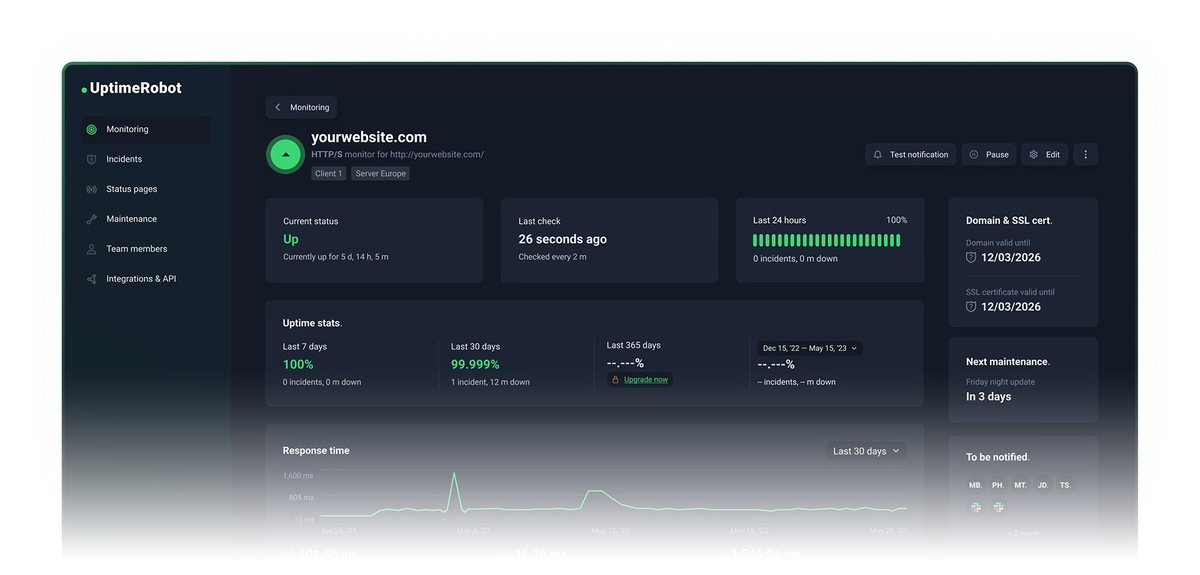
There are free tools like UptimeRobot that monitor your site and send you an alert the moment it goes down. Setting something like this up takes ten minutes and means you’re never the last to find out.
What a slow or unreliable website costs you
Beyond full outages, a website that loads slowly or goes down intermittently loses business in ways that are hard to measure. People don’t wait. If your site takes more than a few seconds to load, a big chunk of visitors will leave before they even see it.
Search engines also factor website speed and reliability into rankings. A slow site that goes down regularly will struggle to rank well, which means fewer people finding you in the first place. If you want to understand more about how your website affects your search visibility, our SEO services page covers how it all connects.
The real fix is a website that’s built and managed properly
Most of the causes above come back to the same underlying issue: the website wasn’t set up on a solid foundation or nobody is looking after it properly. A cheap hosting plan, an old theme that never gets updated and no monitoring in place is a combination that leads to problems.
A properly built website on reliable hosting, with SSL managed automatically, regular updates handled carefully and someone keeping an eye on things, should almost never go down unexpectedly. And when something does go wrong, it gets fixed fast.
If your website goes down regularly, loads slowly or you’re just not confident it’s in good shape, it’s worth having someone take a proper look. Get in touch with the team at Boost My Business and we can tell you exactly what’s going on and what it would take to fix it.
Frequently asked questions
Why does my website keep going down?
The most common reasons are unreliable hosting, expired domains or SSL certificates, plugin conflicts or security issues. A website that goes down regularly needs a proper diagnosis to find the root cause.
How do I know if my website is down?
You can check using a free monitoring tool like UptimeRobot or use this guide on checking if your website is down. Setting up automatic alerts means you’ll know the moment it happens.
Can a hacked website cause downtime?
Yes. Malware or a hack can take your site offline, redirect visitors or get your site flagged by Google. A compromised site needs to be cleaned and secured before it goes back up.
How long does it take to fix a website that’s down?
It depends on the cause. A hosting outage might resolve on its own within hours. An expired domain can take up to 48 hours to restore once renewed. A hacked site can take longer depending on the damage.
How can I stop my website going down?
Use reliable hosting, keep your domain and SSL renewed, update your plugins regularly and set up uptime monitoring. Having someone manage your website properly means most problems get caught before they cause an outage.
0 Comments